Event Space & Classrooms
Click on a room to display the capabilities and instructions
Classrooms, conference rooms, and event spaces
All rooms have the following common services: Desktop Computer with internet access, Wi-Fi and Zoom.
Click a room to see seating, displays, microphones, and how to present. Open Podium Control or AV System instructions when you need the step-by-step. Wi-Fi and Zoom are available in every room and open the matching guide.
Room capabilities
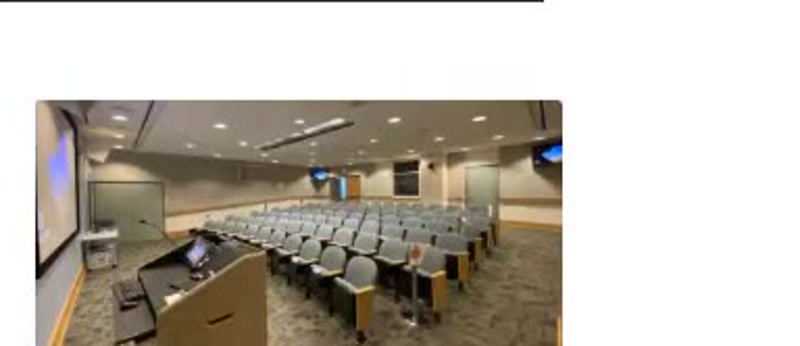
Auditorium
Theater seating for 87, large screen, rear monitors, handheld and lavalier mics, and a document camera.
Seating capacity by setup
Theater
87
AV capabilities
Podium
- Laptop & tablet connections
- HDMI
- USB-C
Microphones
- Handheld: 2
- Lavalier: 2
- Delegate (for a panel): up to 5
Screens
- Large screen
- 55" Rear monitors
Always available
- Desktop computer with internet access
- Wi-Fi
- Conferencing capabilities
- Document camera
The auditorium is not a walk-up classroom. Coordinate with UCDC IT for events.
How to use it
- 1Request AV support in advance for programs that need microphones, recording, or a hybrid audience.
- 2Arrive 30 minutes early so IT can set levels and confirm the Zoom destination.
- 3Present from the lectern PC or HDMI. Avoid relying on a laptop's built-in speakers.
- 4Return handheld mics to the charging station after the event.
Need help fast?
UCDC IT
UCDC accounts, computers, Microsoft 365, Wi-Fi, AV, and Zoom (except accounts)
UCOP ITS
UCOP accounts, Duo, UCOP Outlook forwarding, Box, Zoom accounts, and VPN